Golden Hour Embrace: The Redhead & White Shirt Portrait
Style breakdown
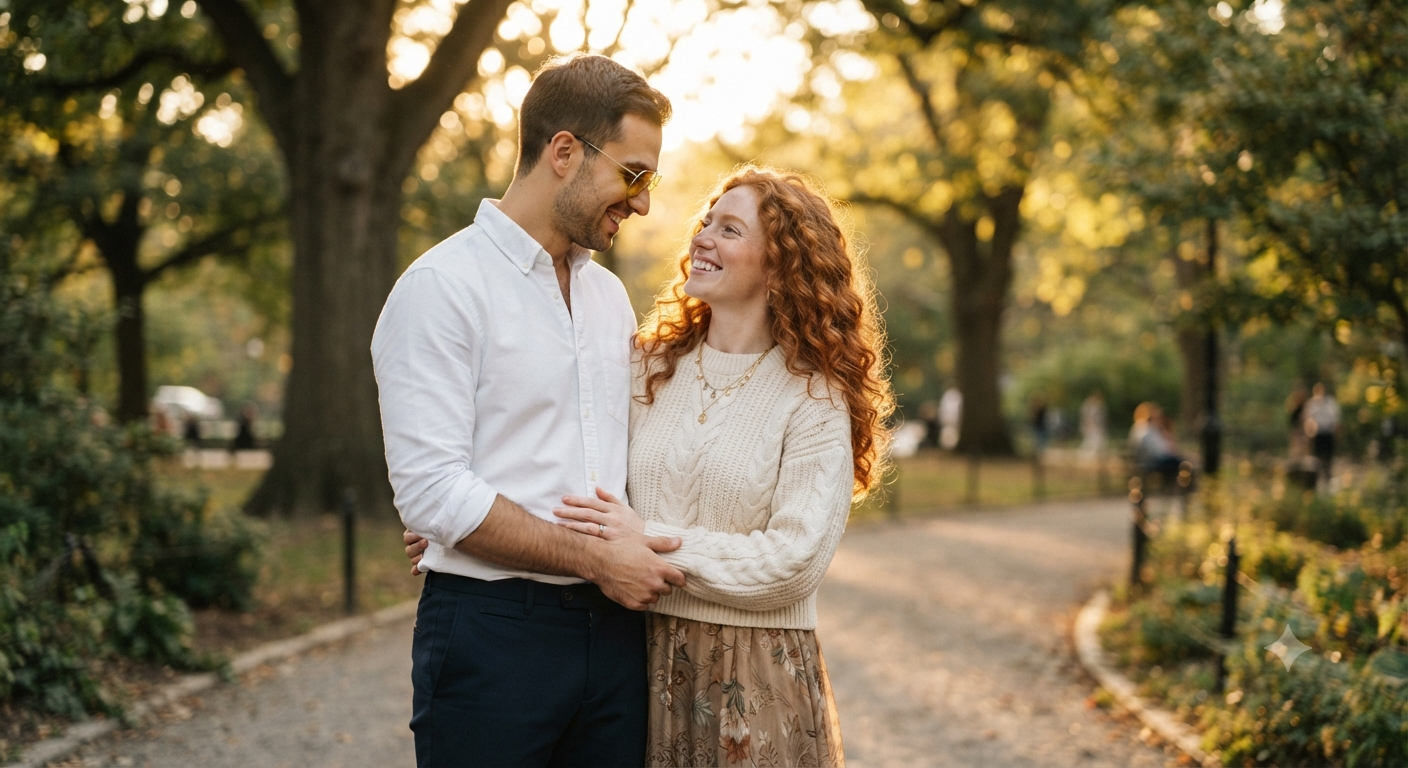
This prompt is a precise blueprint for creating a high-quality, emotionally resonant portrait that captures a specific romantic narrative. It prioritizes environmental lighting and specific fashion details to achieve a warm, intimate aesthetic. The setting is a "sunlit park during golden hour," which is described to produce "warm backlight filtering through the trees" and a "soft bokeh" background. This technique creates a beautiful halo effect on the subjects and a creamy blur of the surroundings, drawing all attention to the couple. The fashion is strictly defined: the man wears a crisp white long-sleeve button-up (with rolled sleeves), dark trousers, and yellow-tinted sunglasses. The woman is specified to have long, vibrant red curly hair and wear a cream-colored knit sweater over a patterned dress, along with layered necklaces. The pose is described as an embrace, with their expressions as "natural and joyful." Finally, keywords like "photorealistic" and "8k resolution" instruct the AI to render hyper-realistic textures, from the knit fabric to the individual strands of hair and skin pores, mimicking professional full-frame photography.
The prompt
A waist-up outdoor portrait of a young couple smiling warmly at each other in a sunlit park during golden hour. The man wears a crisp white long-sleeve button-up shirt with the sleeves slightly rolled up, dark trousers, and yellow-tinted sunglasses, looking down lovingly toward the woman. The woman has long, vibrant red curly hair and wears a cream-colored knit sweater over a patterned dress, with layered necklaces, her arms gently around the man. Warm backlight filtering through the trees, soft bokeh, natural and joyful expressions, photorealistic, 8k resolution.
How to use
Copy the complete prompt text provided above. Open your preferred AI image generation platform (e.g., Midjourney, DALL-E 3, Stable Diffusion). Paste the text into the generation input field. Adjust any platform-specific settings (like aspect ratio, e.g., 16:9 for a cinematic landscape). Execute the generation command.

