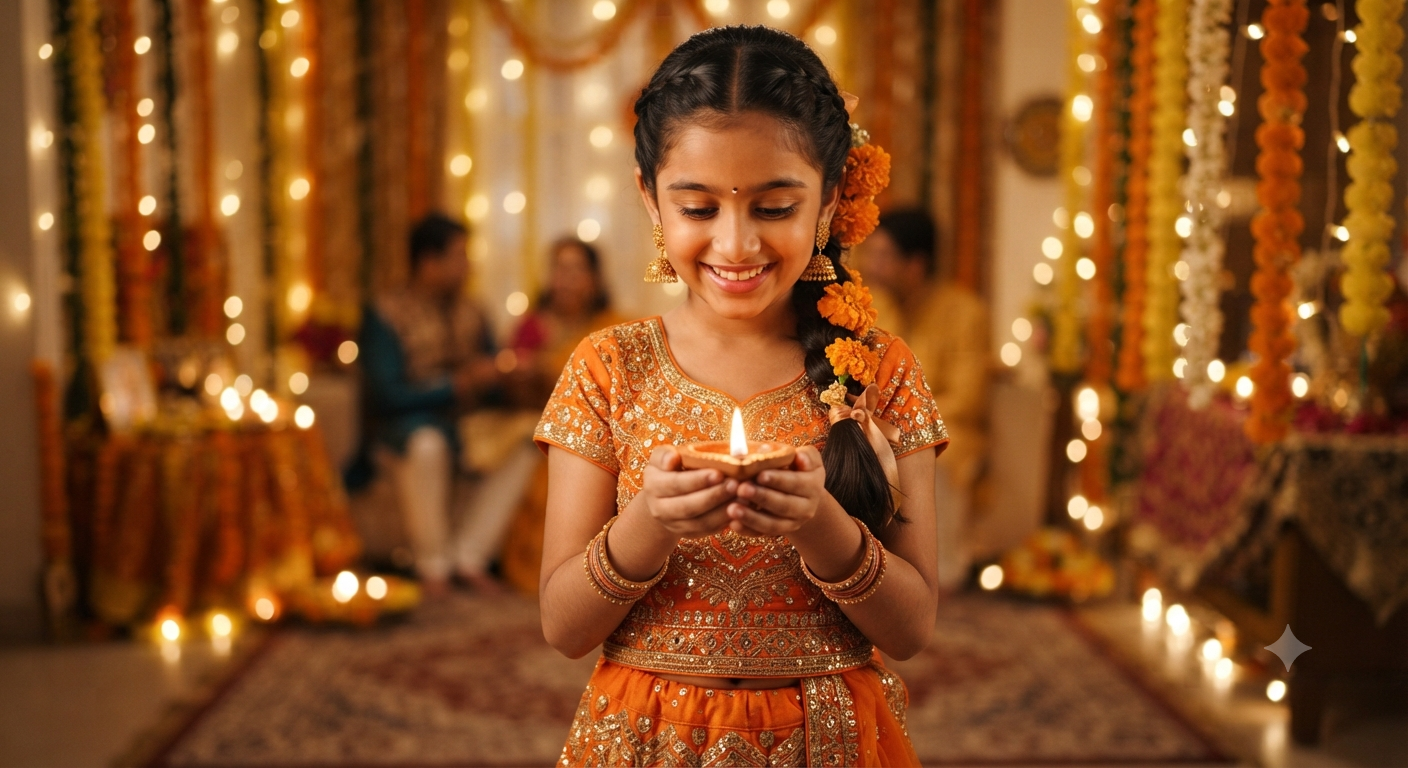
Festive Celebration of Light
Style breakdown
This prompt captures a culturally rich, highly detailed moment centered around celebrations like Diwali or other traditional festivals of light. The primary subject is a young South Asian girl who serves as the focal point, illuminated warmly by the soft, golden glow of the traditional clay diya she holds. The composition uses a medium-shot framing to emphasize both her intricate attire—featuring embroidered ethnic clothing, gold jhumka earrings, bangles, and a braided hairstyle adorned with marigold flowers—and her joyful, serene expression. Technically, the prompt relies on atmospheric lighting cues, such as "warm ambient candlelight" and "bokeh," to create depth and emotion. By specifying a "softly blurred" background filled with fairy lights and marigold thoran garlands, it ensures a strong separation between the foreground subject and the festive environment. This technique mimics professional portrait photography with a shallow depth of field, enhancing the realism and emotional resonance of the scene. The descriptive language provides AI image generators with exact visual markers—from color palettes (orange and gold) to cultural artifacts (diya, thoran, jhumka)—resulting in a vibrant, authentic, and high-definition visual output.
The prompt
Prompt Text A medium-shot indoor portrait of a young South Asian girl holding a glowing traditional clay diya (oil lamp) in both hands during a festive celebration. She is wearing an ornate orange and gold traditional embroidered ethnic outfit, paired with matching gold jhumka earrings, bangles, and a delicate bindi on her forehead, with her dark hair neatly braided and decorated with a marigold flower. The background is softly blurred with warm, glowing fairy lights and traditional marigold floral garlands (thoran). Warm ambient candlelight and bokeh, festive atmosphere, photorealistic, 8k resolution.
How to use
Copy the complete prompt text provided above. Open your preferred AI image generator (such as Midjourney, DALL-E 3, or Stable Diffusion). Paste the text directly into the generation text box. Adjust any platform-specific aspect ratios or rendering settings if desired, then click generate.

