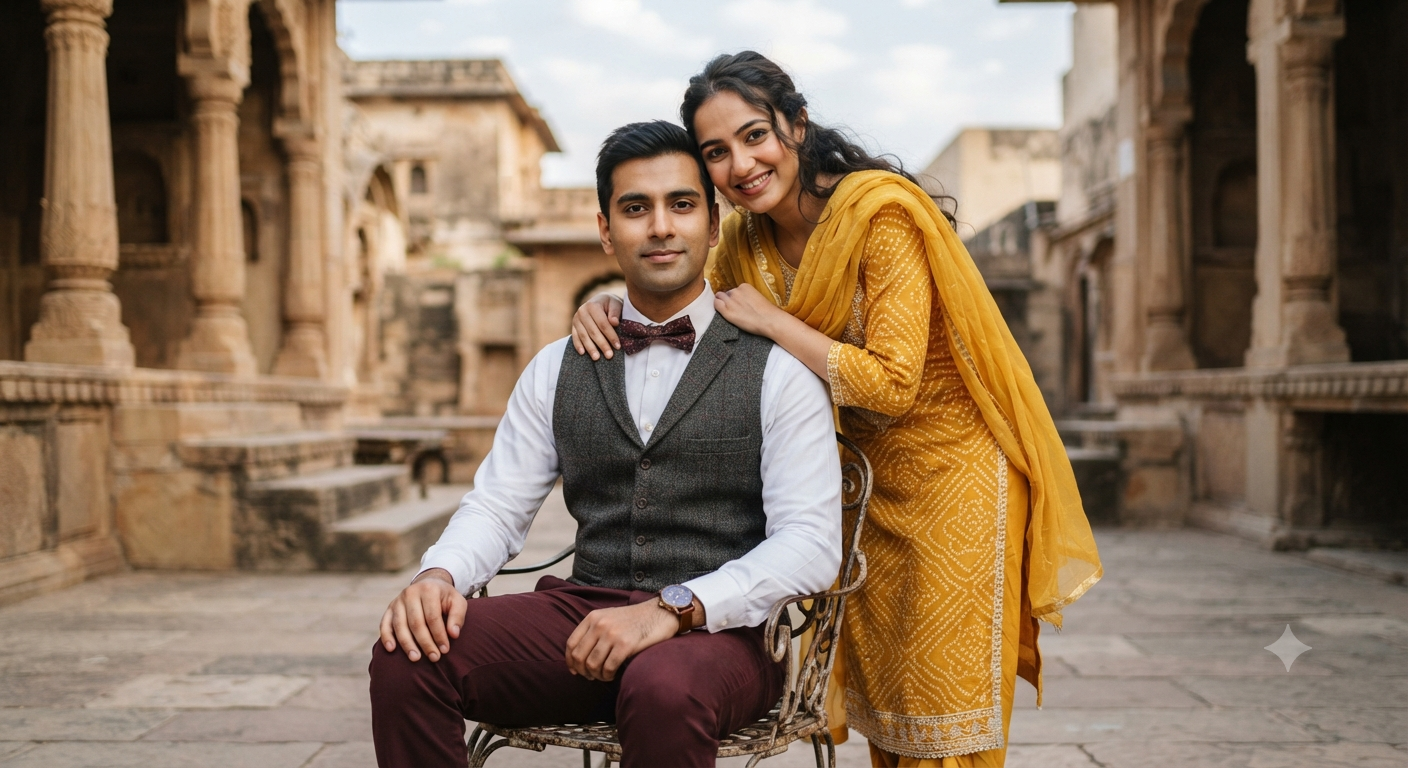
Heritage Courtyard Romance: The Yellow Saree Portrait
Style breakdown
This prompt is a precise blueprint for a high-end cultural portrait, blending formal wear with traditional aesthetics against an authentic heritage backdrop. The composition captures a specific emotional dynamic: the man is seated, calm and composed in his tailored waistcoat and bow tie, while the woman stands playfully behind, embracing his shoulder with a radiant smile. Cultural authenticity is central to the request, specifying a vibrant yellow traditional salwar kameez with bandhani-style dotted patterns and a sheer dupatta for the woman. The setting is equally detailed, describing a historic Indian courtyard with textured stone architecture, carved pillars, and steps, which are softly blurred via a "shallow depth of field" to keep the focus strictly on the couple. Technically, the prompt demands "soft natural daylight" for flattering, even illumination. Keywords like "photorealistic" and "8k resolution" instruct the AI to render hyper-realistic textures, from the rough stone walls to the delicate fabric of the salwar kameez and the metalwork of the chair, mimicking professional full-frame photography.
The prompt
A medium-shot outdoor portrait of a young couple posing together in a historic heritage courtyard with stone architectural features and steps in the background. The man is seated on a light metal chair, wearing a white long-sleeve button-up shirt, a dark gray waistcoat with a patterned burgundy bow tie, deep maroon trousers, and a wristwatch, with a calm and composed expression. The woman stands playfully behind him, embracing his shoulder with a warm smile, wearing a vibrant yellow traditional salwar kameez with white dotted patterns and a matching sheer dupatta. Soft natural daylight, shallow depth of field, rich cultural aesthetic, photorealistic, 8k resolution.
How to use
Copy the complete prompt text provided above. Open your preferred AI image generation platform (e.g., Midjourney, DALL-E 3, Stable Diffusion). Paste the text into the generation input field. Adjust any platform-specific settings (like aspect ratio, e.g., 16:9 for a cinematic landscape). Execute the generation command.

