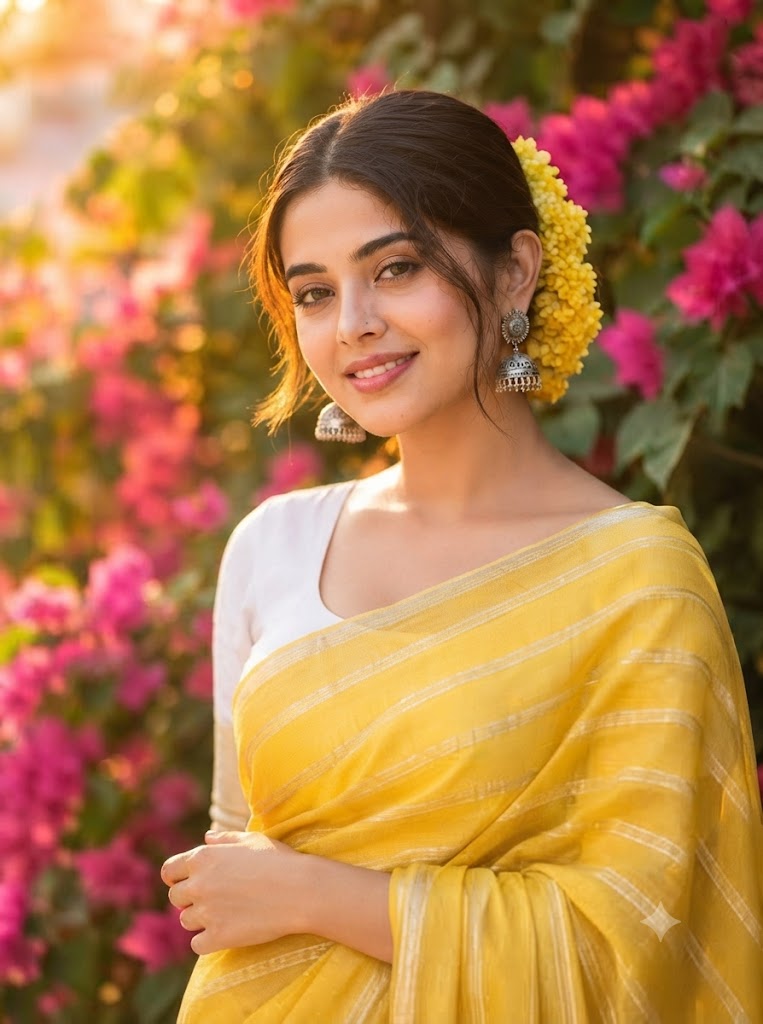
The Golden Bloom: A High-Definition 8k Outdoor Saree Portrait
Style breakdown
This high-definition portrait captures a radiant moment of a young Indian woman in traditional attire, set against a lush backdrop of bougainvillea. The composition centers on her engaging smile and the striking contrast between the yellow saree, marigolds, and pink flowers. The prompt architecture prioritizes extreme textural and material fidelity: every micro-element—from the delicate silver filigree of her earrings and the shimmering threads of the silk saree to the individual petals of the marigolds and skin pores—is rendered with razor-sharp clarity. The natural golden hour lighting sculpted by the surrounding foliage creates a beautiful cinematic key light that accentuates her features and adds profound depth. Engineered for professional-grade rendering pipelines, this prompt bridges cultural storytelling with strict technical compression parameters to ensure the final output fits seamlessly into a curated 8k digital asset library while strictly adhering to the 1 MB file size constraint.
The prompt
A high-definition, hyper-photorealistic 8k resolution outdoor portrait of a beautiful young Indian woman with a warm, genuine smile, posing amidst a vibrant cluster of blooming pink and yellow bougainvillea. Every detail is rendered with microscopic fidelity: her natural skin micro-textures, the fine silver filigree of her traditional jhumka earrings, and the intricate, shimmering woven texture of her yellow-and-silver striped silk saree are captured with pristine clarity. Her dark hair is neatly tied back and adorned with a generous garland of fresh yellow marigolds. The natural golden hour sunlight filters through the leaves, creating a soft halo effect and warm, directional key light across her face. The background is a deeply blurred (bokeh) tapestry of pink flowers and diffused greenery, creating a magical depth of field. Captured with stunning 8k clarity, shallow depth of field, and tightly optimized export parameters to maintain professional editorial quality strictly at or below your 1 MB storage limit.
How to use
Copy the complete prompt text provided above into your preferred high-end AI image generator or studio rendering workspace. Configure your generator to a standard vertical or near-square portrait aspect ratio (such as 4:5 or 3:4) to properly frame the subject and the surrounding flora. Set your target resolution to 8k or the highest available fidelity setting to ensure micro-textures, jewelry details, and fabric patterns are fully resolved. Adjust texture sampling and lighting parameters to emphasize the warm, golden hour sun filtering through the leaves and casting soft highlights. Set your export format (JPEG/WebP) and compression settings to guarantee the final output image file size is compressed down to 1 MB or less. Generate initial renders and inspect critical details, including the clarity of the marigold garland and the sharpness of the earring filigree. Refine or re-run the prompt if the skin texture appears too smooth or if the background bokeh requires softer diffusion. Export the final chosen render to preserve the rich lifestyle details and professional editorial quality while strictly adhering to your 1 MB file size constraint.

