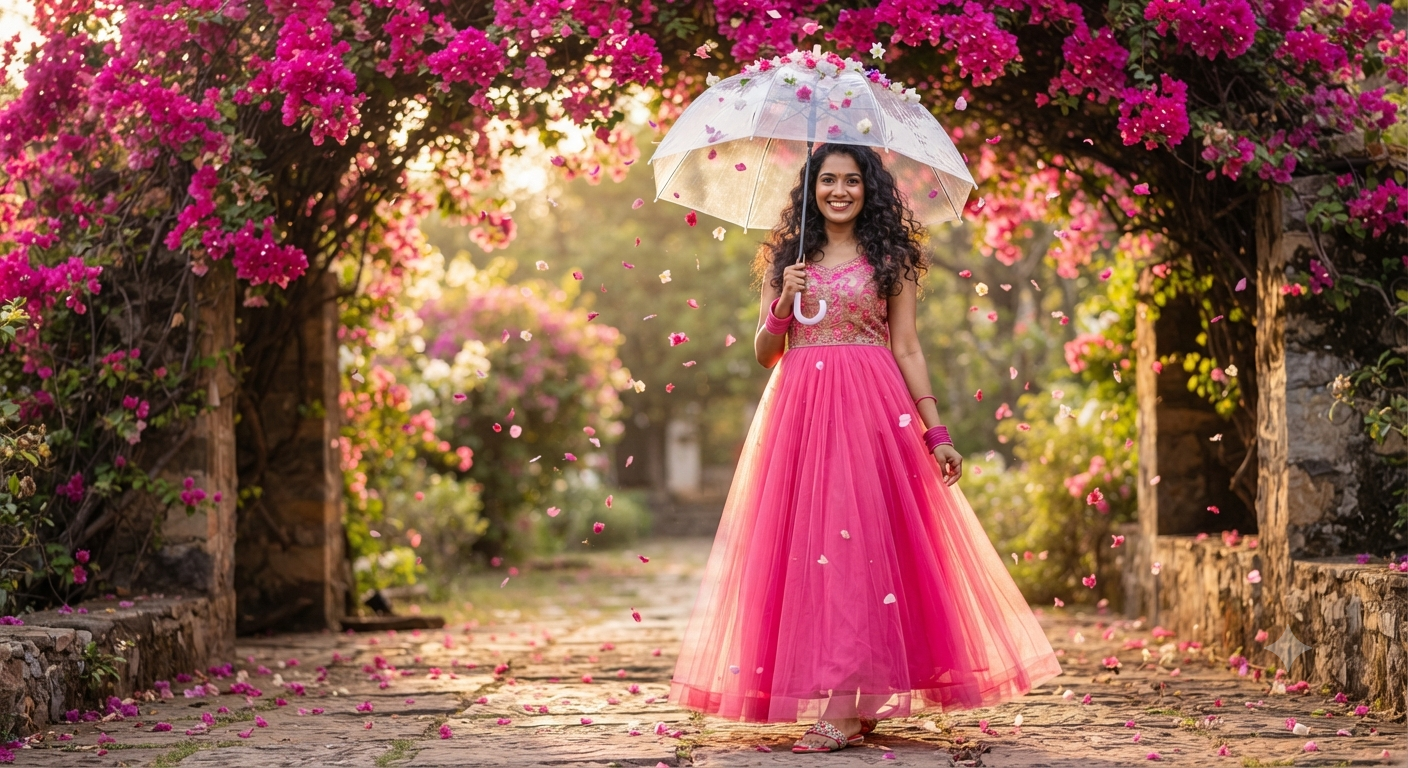
The Bougainvillea Bloom: A Magical Golden Hour Portrait
Style breakdown
This prompt is a precise blueprint for achieving a high-end, emotionally resonant portrait. It captures a specific narrative moment—a magical walk beneath a bougainvillea canopy—and defines every critical element to ensure success. The subject is a smiling young South Asian woman with a distinct style (dark curly hair). The fashion is strictly defined: "floor-length bright pink net gown," "embroidered bodice," and specific accessories ("pink bangles," "decorative slide sandals"), which are essential for the requested look. The setting is an "arched canopy of vibrant pink bougainvillea," providing a powerful color palette. Technically, the prompt leverages "soft golden hour backlighting," which is critical for the "magical floating petals" and the "dreamy bokeh" (background blur). Finally, keywords like "photorealistic" and "8k resolution" instruct the AI to render hyper-detailed textures, from the net gown to individual bougainvillea petals and skin pores, mimicking professional full-frame photography.
The prompt
A high-detail, photorealistic outdoor portrait of a smiling young South Asian woman standing on a garden pathway beneath a canopy of vibrant pink bougainvillea flowers. She holds a transparent clear umbrella overhead, with several pink flower petals resting scattered across its top. She wears a stunning, floor-length bright pink net gown featuring delicate embroidered bodice details and layered tulle, complemented by matching pink bangles and decorative slide sandals. Her dark curly hair flows around her shoulders as she smiles warmly at the camera. Soft golden hour backlighting, magical pink petals floating through the air, dreamy bokeh, high dynamic range, 8k resolution portrait.
How to use
Copy the complete prompt text provided above. Open your preferred AI image generation platform (e.g., Midjourney, DALL-E 3, Stable Diffusion). Paste the text into the generation input field. Adjust any platform-specific settings (like aspect ratio, e.g., 16:9 for a cinematic landscape or 9:16 for a vertical portrait). Execute the generation command.

