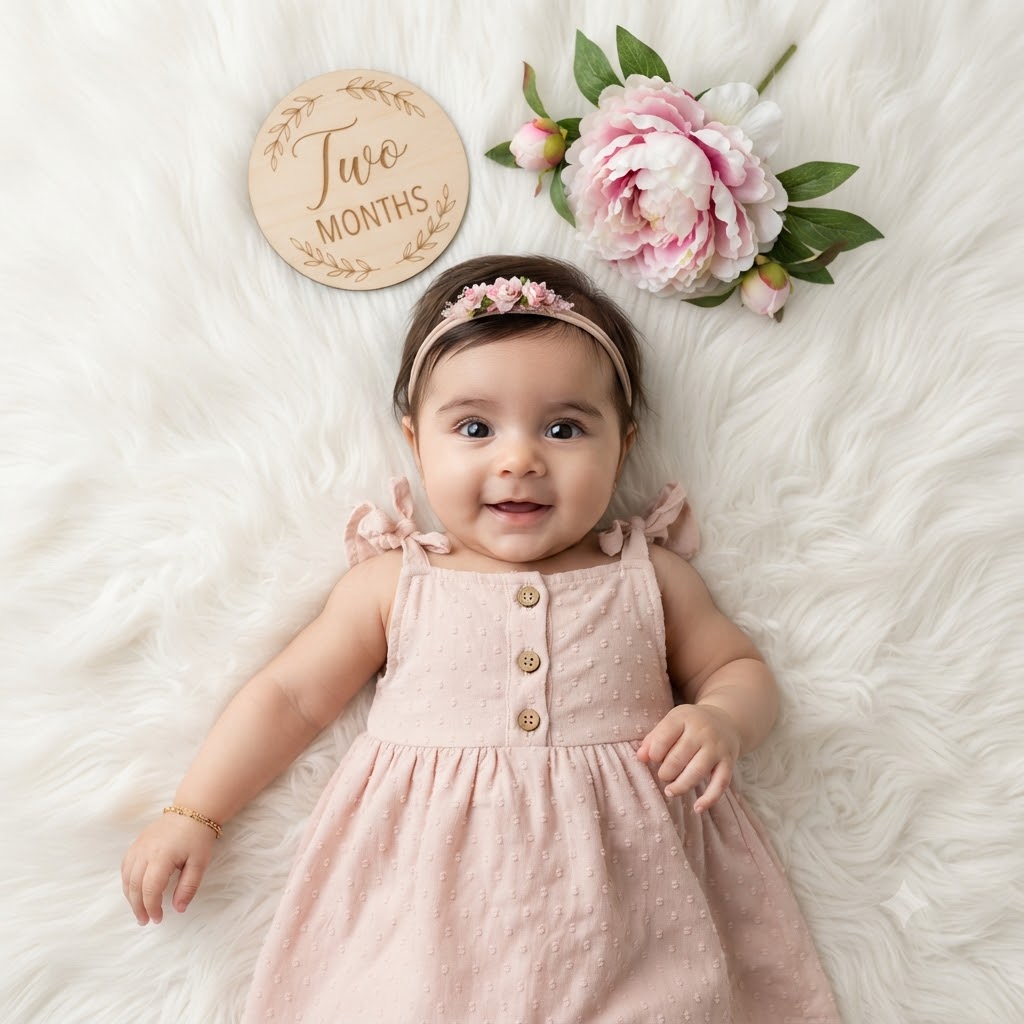
Blush Bloom: A High-Definition 2-Month Studio Flat-Lay Portrait
Style breakdown
This high-detail, top-down photorealistic studio portrait is a professional-grade recreation of the scene in image_737.png. It features the same adorable baby girl, maintaining her exact joyful expression, pose, and specific outfit (Swiss dot dress, floral headband, gold bracelet). All original props—the wooden "Two MONTHS" plaque and the peony flower cluster—are preserved and arranged in the identical composition. Sculpted by soft, even studio lighting, the photograph achieves professional depth of field, keeping every element razor-sharp. Rendered in professional 8k resolution, every meticulous micro-detail—from the wooden button texture and the knit of the dress to the fur pile and the petal structure—is captured with professional clarity, while export compression parameters are tightly optimized to compress this professional editorial quality down to 1 MB or less.
The prompt
A high-detail, top-down photorealistic milestone studio portrait of the exact baby girl from image_737.png, maintaining her identical joyful smiling expression, large dark eyes, and pose. She wears the same sleeveless light blush pink Swiss dot textured dress with wooden front buttons, shoulder ruffle ties, and the delicate floral headband from image_737.png, complete with the thin gold chain bracelet on her wrist. She is positioned centrally on the deeply textured, fluffy white faux fur blanket, identical to the setting in image_737.png. Arranged precisely above her head are the circular wooden milestone plaque engraved with "Two MONTHS" in elegant script, and the large, lush pink and white peony flower cluster with green leaves, both in their original positions. The lighting is soft, even, high-key studio illumination, creating a gentle glow and minimal, clean shadows. The focus is razor-sharp across the entire flat-lay composition, capturing every microscopic detail—from the fibers of the dress and the texture of the faux fur to the grain of the wood and the individual veins in the peony petals. Rendered in professional 8k resolution, while export compression parameters are tightly optimized to maintain this professional editorial quality strictly at or below your 1 MB storage limit.
How to use
Copy the complete prompt text provided above into your preferred AI image generator or flat-lay studio workspace. Configure your generator to a top-down orthographic aspect ratio (such as 1:1 or a tall 3:4) to correctly render the flat-lay composition. Set your target resolution, export format (JPEG/WebP), and aggressive compression settings to guarantee the final output image file size is compressed down to 1 MB or less. Generate initial renders and inspect critical details, including the legibility of the "Two MONTHS" text, the presence of the bracelet, and the sharpness of the baby’s smile. Refine or re-run the prompt if the background fur texture overwhelms the subject or if any specific prop is out of place.

