Golden Hour Forest Romance: The Yellow Dress Dip
Style breakdown
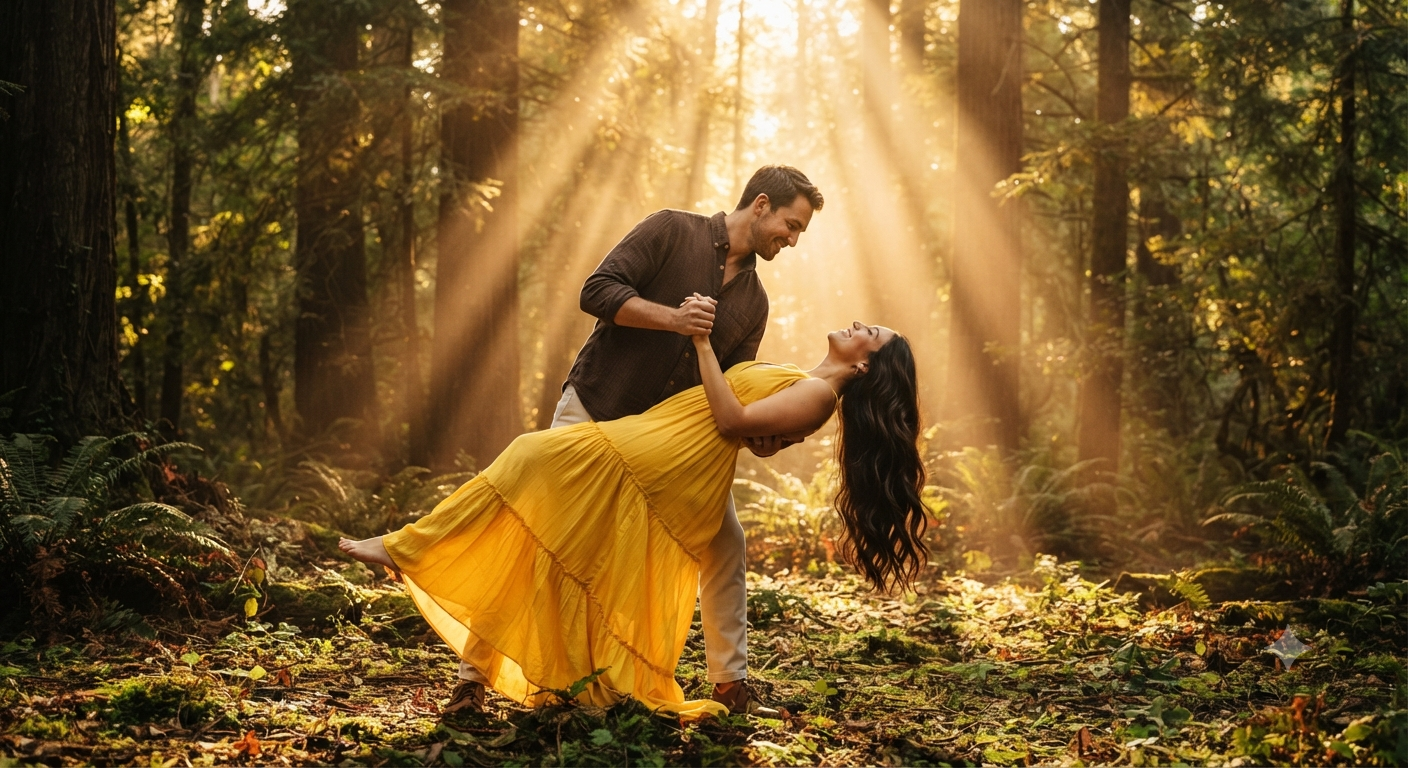
This prompt is a detailed recipe for creating a high-end cinematic portrait that captures a specific, emotionally charged moment. It prioritizes dramatic lighting and precise fashion details to achieve the desired aesthetic. The setting is an ancient, dense forest, chosen to contrast with the vibrant, flowing yellow dress. The key feature is the "golden hour" timing, which is described to produce "magnificent sun rays filtering through the tree canopy" and "intense volumetric backlighting"—this creates a beautiful halo effect around the couple and makes the air feel thick with light. The pose is equally specific: a classic "romantic dance dip" that emphasizes movement and connection. The couple's expressions (warm, loving smile; blissful look) are crucial for the narrative. Technically, the prompt calls for a "shallow depth of field," ensuring the background is a soft, warm blur (bokeh) that isolates the couple. Finally, "photorealistic, 8k resolution" ensures hyper-realistic textures, from the silk of the dress to individual strands of hair and the mossy forest floor, mimicking professional full-frame photography.
The prompt
A dramatic full-length outdoor portrait of a young couple posing in a dense, sun-drenched forest during golden hour. The man is holding and dipping the woman backwards in a classic romantic dance pose, wearing a dark brown long-sleeve button-up shirt and light trousers with a warm, loving smile. The woman wears a vibrant yellow layered maxi dress, her long dark hair flowing down dramatically toward the ground as she looks up blissfully. Magnificent sun rays filtering through the tree canopy, intense volumetric backlighting, cinematic atmosphere, shallow depth of field, photorealistic, 8k resolution.
How to use
Copy the complete prompt text provided above. Open your preferred AI image generation platform (e.g., Midjourney, DALL-E 3, Stable Diffusion). Paste the text into the generation input field. Adjust any platform-specific settings (like aspect ratio, e.g., 16:9 for a cinematic landscape). Execute the generation command.

