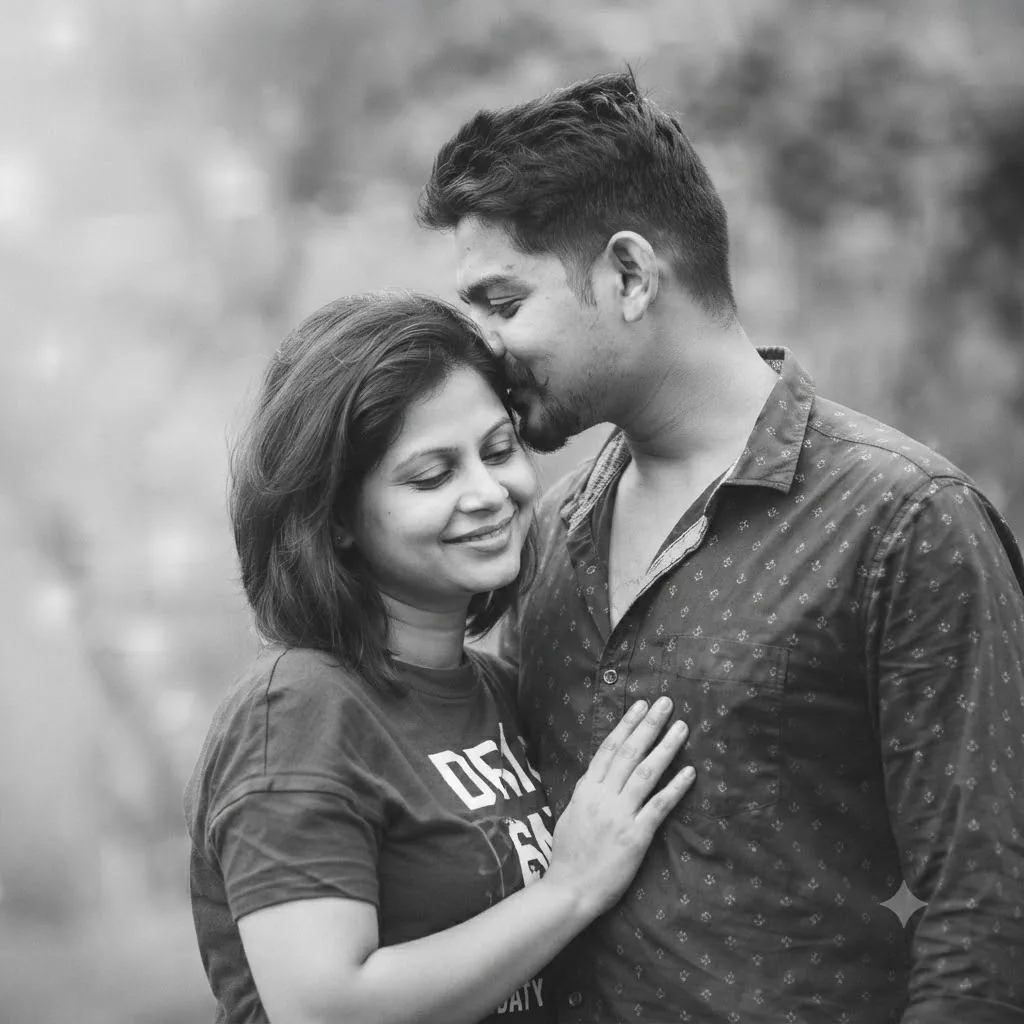
The Affectionate Whisper: An Intimate Monochrome Portrait
Style breakdown
This photograph is a reconstruction of a candid, deeply intimate moment between two people, designed to evoke powerful feelings of affection and tenderness. The prompt translates the subjects' likeness and specific physical interaction—a whispered message and a soft smile—into a detailed visual blueprint. Key elements, such as the man's patterned shirt and the woman's graphic t-shirt with her hand on his chest, are crucial for maintaining the scene's authenticity and narrative. The setting is outdoors but controlled, using natural, diffused light and a shallow depth of field to isolate the couple, creating a soft, timeless, and romantic atmosphere. By specifying high resolution and sharp focus on their expressions, the prompt bridges the gap between a casual snapshot and a timeless, narrative portrait, all while strictly adhering to technical compression parameters for digital asset management within a 1 MB file size limit.
The prompt
A deeply intimate, high-resolution monochrome photograph capturing the couple from image_254.png in a tender, close-up embrace, maintaining their exact likeness and affectionate pose. The man, on the right, is leaning down, whispering affectionately into the ear of the woman, who is on the left and smiling softly with her eyes closed. They are outdoors in natural light, which is soft and diffused, creating a gentle glow around them. The background is a heavily blurred bokeh of foliage, rendered in smooth, grey tones to keep the focus sharp and clear on the couple's expressions and connection. Their specific clothing from image_254.png is clearly visible: the man in his patterned button-down shirt and the woman in her casual graphic t-shirt, with her hand resting gently on his chest. The composition is a tight medium shot, emphasizing the emotional intimacy and delicate touch.
How to use
Copy the complete prompt text provided above into your preferred high-end AI image generator or studio rendering workspace. Ensure your generator's settings are configured to a standard vertical or square aspect ratio (matching image_254.png) to properly frame the close-up intimate pose. Adjust the "Style Reference" or "Image Weight" settings (if available) to prioritize the likeness of the couple while applying the specific clothing patterns and soft lighting from the prompt text. Set your target rendering resolution to high fidelity to capture the fine details of the fabric textures and facial features. Fine-tune the lighting parameters to emphasize a soft, natural, diffused daylight effect that reduces harsh shadows and enhances the gentle glow around the couple. Set your export format (JPEG/WebP) and compression settings to guarantee the final output image file size is compressed down to 1 MB or less. Generate initial renders and inspect critical details: check for accurate likeness, clarity of the clothing patterns (the dots on his shirt, the graphic on her t-shirt), and the softness of the background bokeh. Refine or re-run the prompt if the likeness requires more precision or the lighting is too harsh. Export the final chosen render as a high-quality digital file, suitable for use in a personal memory album, a romantic portfolio, or a social media announcement, strictly at or below the 1 MB storage limit.

