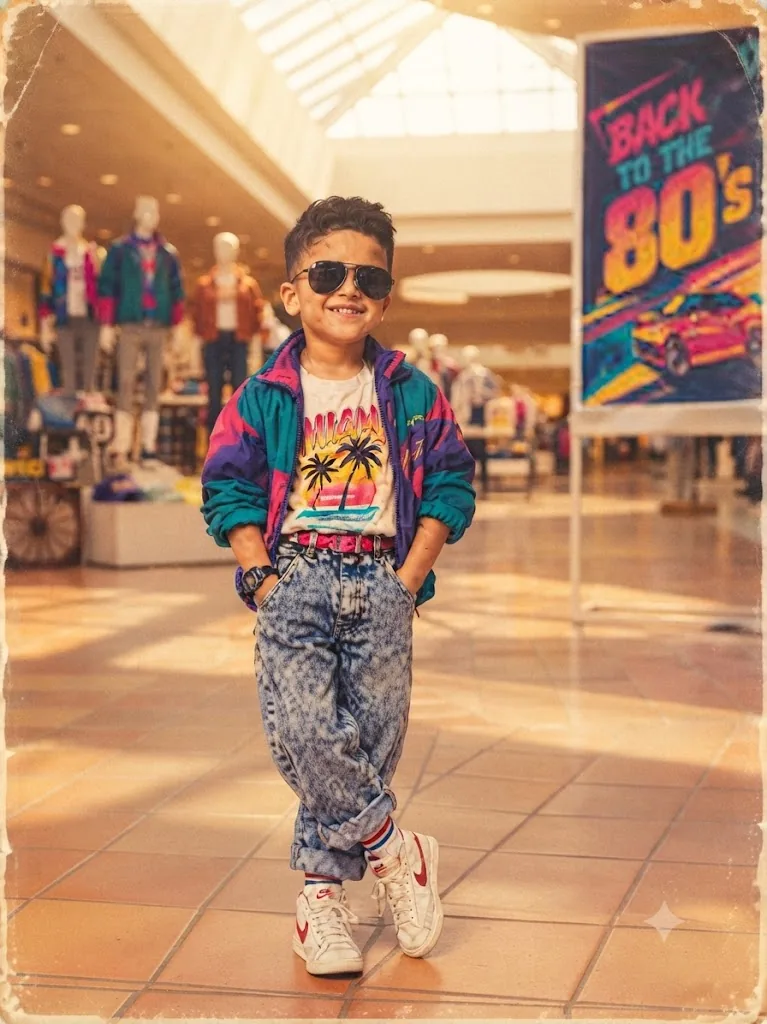
The 80s Kid: Neo-Retro Mall Snapshot
Style breakdown
This photograph is a meticulous reconstruction of a specific moment and aesthetic, designed to evoke powerful 1980s nostalgia. The prompt prioritizes high fidelity to the subject's exact likeness, pose, and detailed clothing (down to the pattern on the windbreaker and the text on the t-shirt). The setting is not just a generic street but an explicitly detailed "mall" environment with period-correct artifacts like terracotta tile floors and mannequin displays. The lighting is engineered to be golden hour, creating a warm, flattering glow. Crucially, the prompt specifies analog artifacts like film grain and color shift, making the final render indistinguishable from a genuine 1980s film photograph. This approach bridges cultural storytelling with strict technical compression parameters to ensure the final output fits seamlessly into a curated digital asset library, strictly adhering to the 1 MB file size limit.
The prompt
A full-body editorial photograph of a young South Asian boy, capturing the exact likeness, pose, and confident smile of the child in image_160.png. He is standing indoors in a brightly lit 1980s-era shopping mall, with his hands in the pockets of his rolled-cuff acid-wash denim jeans. He wears his aviator sunglasses, a white t-shirt with a prominent colorful neon palm tree "Miami" graphic, and his multi-colored (teal, purple, magenta) nylon windbreaker jacket. His watch and white retro sneakers with red swooshes are clearly visible. The background is a detailed, sun-drenched 1980s mall interior with terracotta tile floors, mannequin displays with period-correct clothing, and a large, legible "BACK TO THE 80's" retro event poster featuring a pink sports car. The entire image is rendered with authentic, period-correct film grain, soft golden-hour lighting from a skylight, and a slightly distressed, aged photo border with rounded corners, as if preserved from a vintage print.
How to use
Copy the complete prompt text provided above into your preferred high-end AI image generator or studio rendering workspace. Configure your generator to a standard vertical portrait aspect ratio (such as 4:5) to properly frame the full-body composition and vertical background elements (like the poster and palm trees). Set your target resolution to the highest available fidelity setting to ensure micro-textures in the nylon jacket, fabric patterns, and facial features are fully resolved. Adjust texture sampling and lighting parameters to emphasize the warm, golden natural light. Set your export format (JPEG/WebP) and compression settings to guarantee the final output image file size is compressed down to 1 MB or less. Generate initial renders and inspect critical details, including the legibility of the "BACK TO THE 80's" sign, the correct multi-panel colors on the windbreaker, and the sharpness of the smile. Refine or re-run the prompt if the film texture is too heavy or if the likeness requires more precision. Export the final chosen render to preserve the rich lifestyle details and professional editorial quality while strictly adhering to your 1 MB file size constraint.

